

Sublime Partnership Guide: Onboarding Your Customers
Overview
The following steps outline how to create a new Child-Organization and connect a customer’s message source.
Step 1 – Creating the new Sub-Organization
You can create a new Suborganization via the frontend or API:
Frontend:
Navigate to Admin -> Child Orgs
Click Click the “Create” button
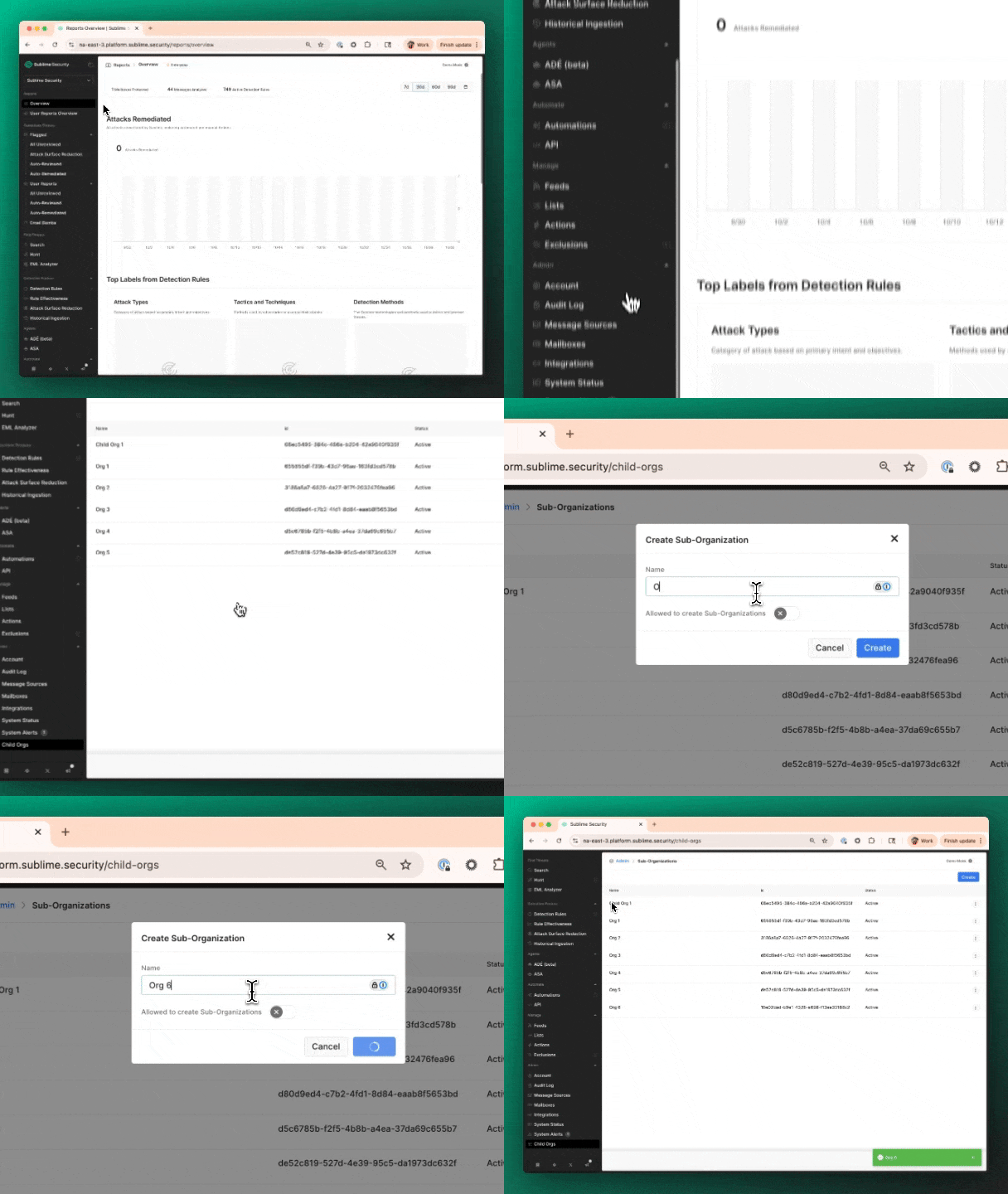
API:
Make a POST request to {BASE_URL}/v0/organizations/mine/child-organization to create a Child Org
Provide a JSON payload/body that includes the name of the child org. Example curl request:
curl --request POST \
--url {BASE_URL}/v0/organizations/mine/child-organizations \
--header 'Authorization: Bearer {YOUR_API_KEY}' \
--header 'Content-Type: application/json' \
--data '{"name": "CHILD ORG NAME"}'
Create the message source
Updated about 3 hours ago