

Track Link Clicks
Overview
Track Link Clicks is an Enterprise Action that rewrites URLs within a message's body and tracks the clicks on that rewritten URL.
When applied as an Action to an Automation, Track Link Clicks automatically rewrites URLs in email messages and monitors when recipients click on those links.
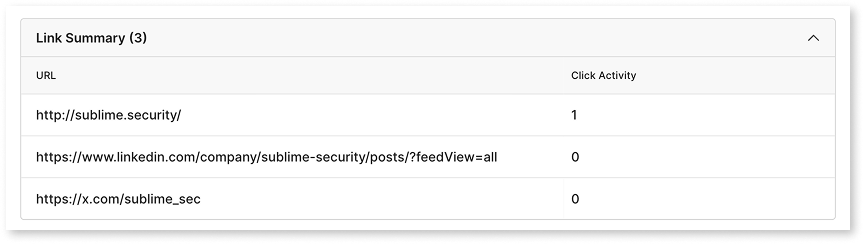
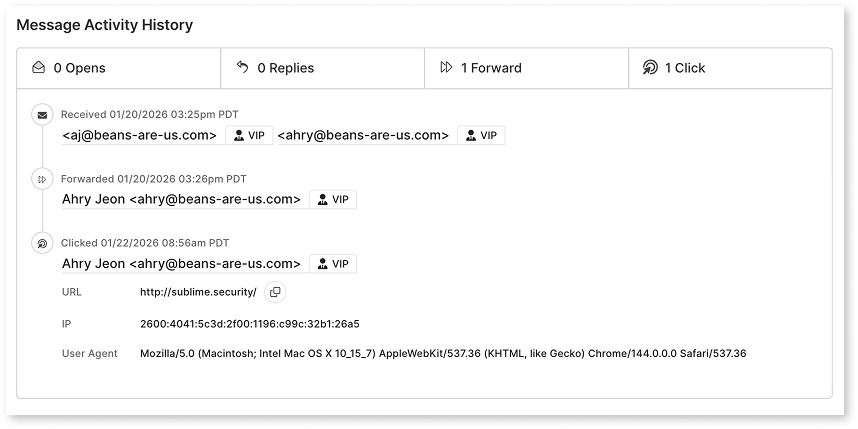
Information available in the message details page includes:
- Count of clicks
- Mailboxes that clicked
- Time of each click
- Original URL (even if the link was rewritten by another product)
- User agent
- Source IP address
For self-hosted instances, you'll need to set a custom domain to configure Track Link Clicks Action. Please see documentation here for AWS.
Tailored Phishing Simulations and Training
Tailored Phishing Simulations and Training uses the Track Link Clicks Action to record clicks on simulation links, so the Action must be turned on before you launch a campaign. Turning on the Action doesn't rewrite URLs in your organization's mail.
Add Track Link Clicks to Automations
Track Link Clicks to AutomationsYou can implement Track Link Clicks in two ways: use our pre-built Automation or add the Action to custom Automations. This enables you to track link clicks on any MQL logic that you wish.
Use Pre-Built Automation
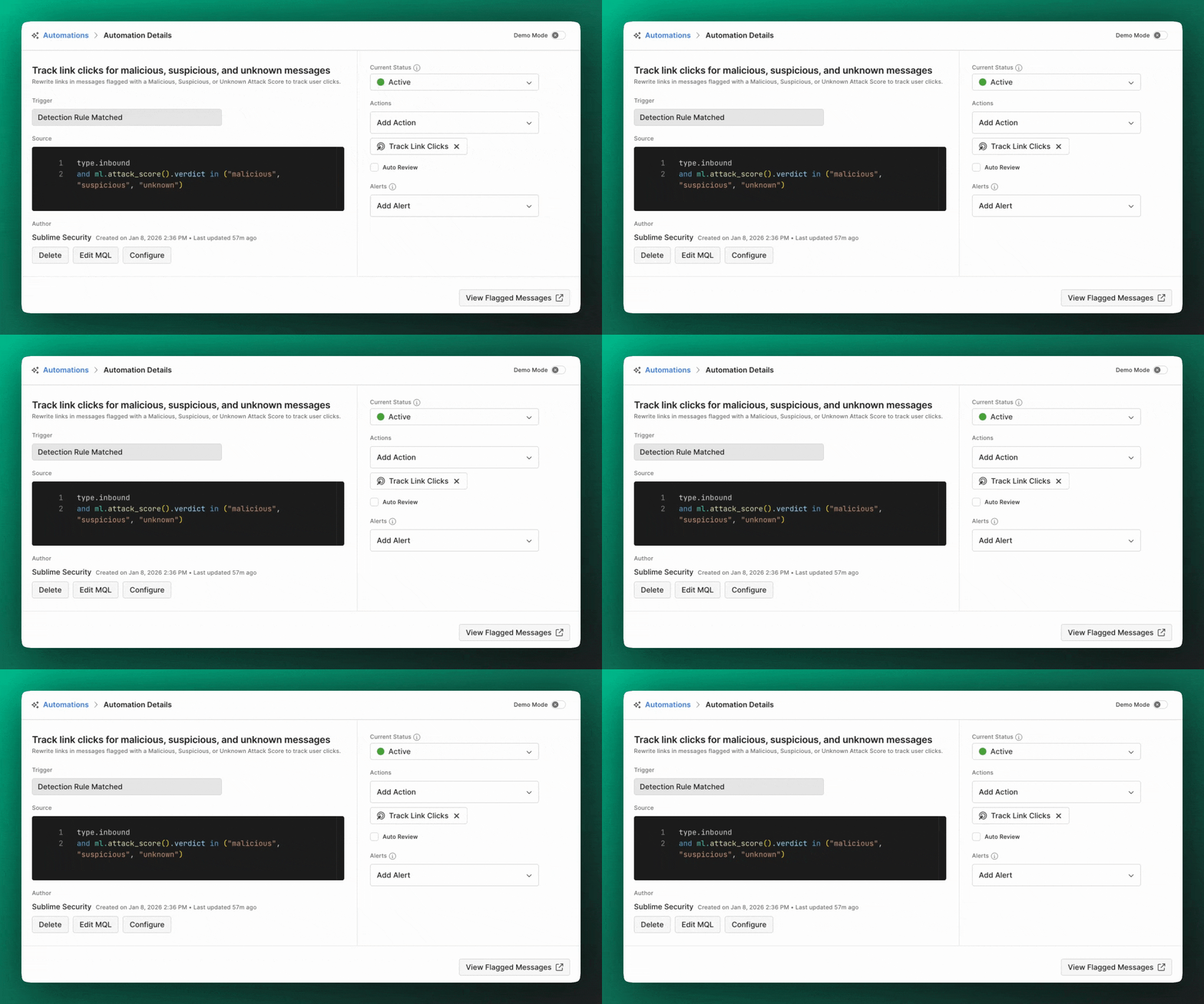
- Click "Automations" in the left navigation of your Dashboard
- Enable the ”Track link clicks for malicious, suspicious, and unknown messages” Automation in your feed
Add Custom Automations
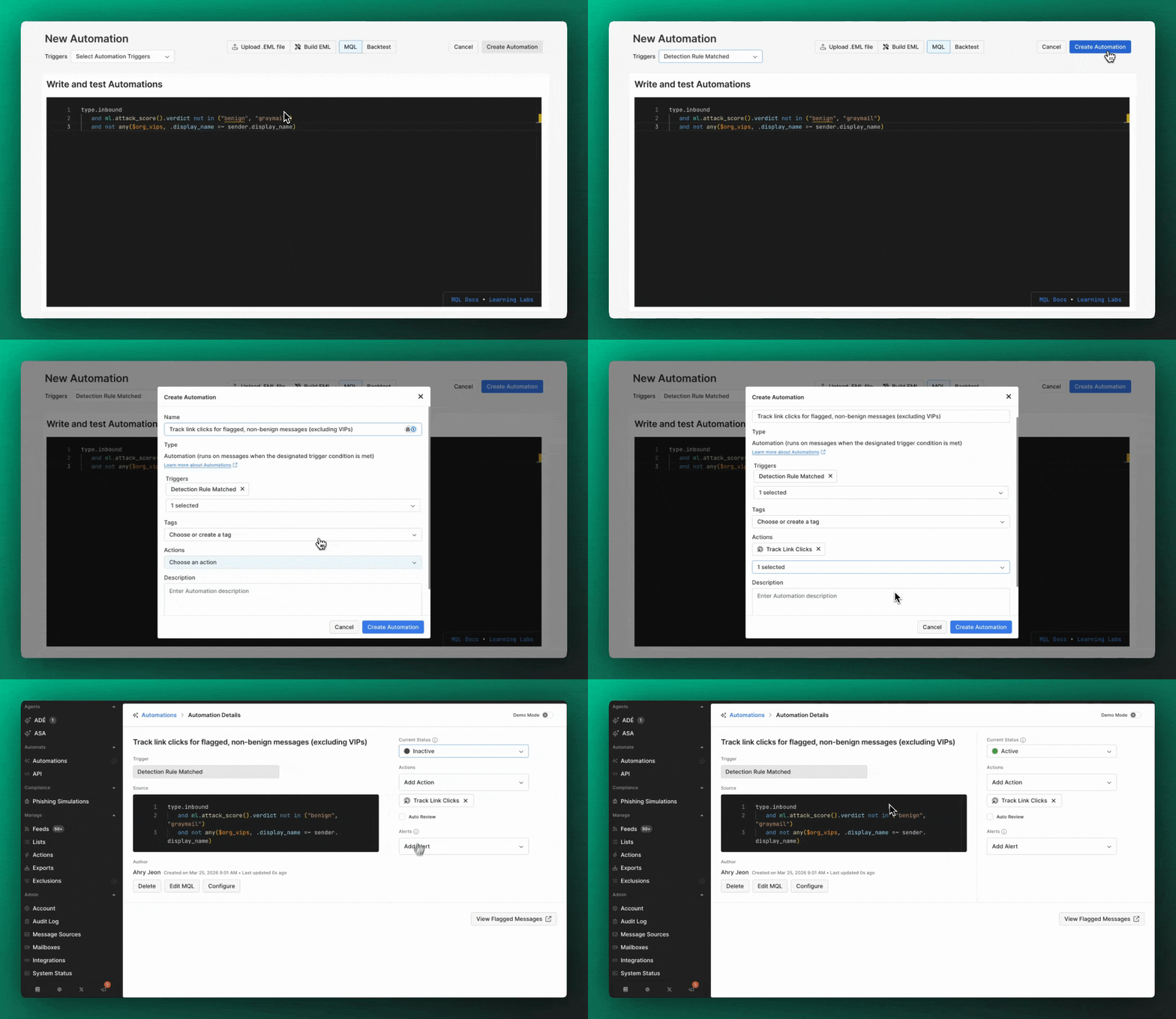
- Click "Automations" in the left navigation of your Dashboard and click “Add Automation”
- Add MQL logic and select “Detection Rule Matched” Trigger and click “Create Automation”
- Click the "Actions" dropdown and select "Track Link Clicks"
- Click "Save Automation"
You can also add the Track Link Clicks Action to existing custom Automations by editing and adding the Action directly.
Configure Domain Exclusions
You can exclude specific domains from URL rewriting to avoid tracking clicks on trusted internal or partner links.
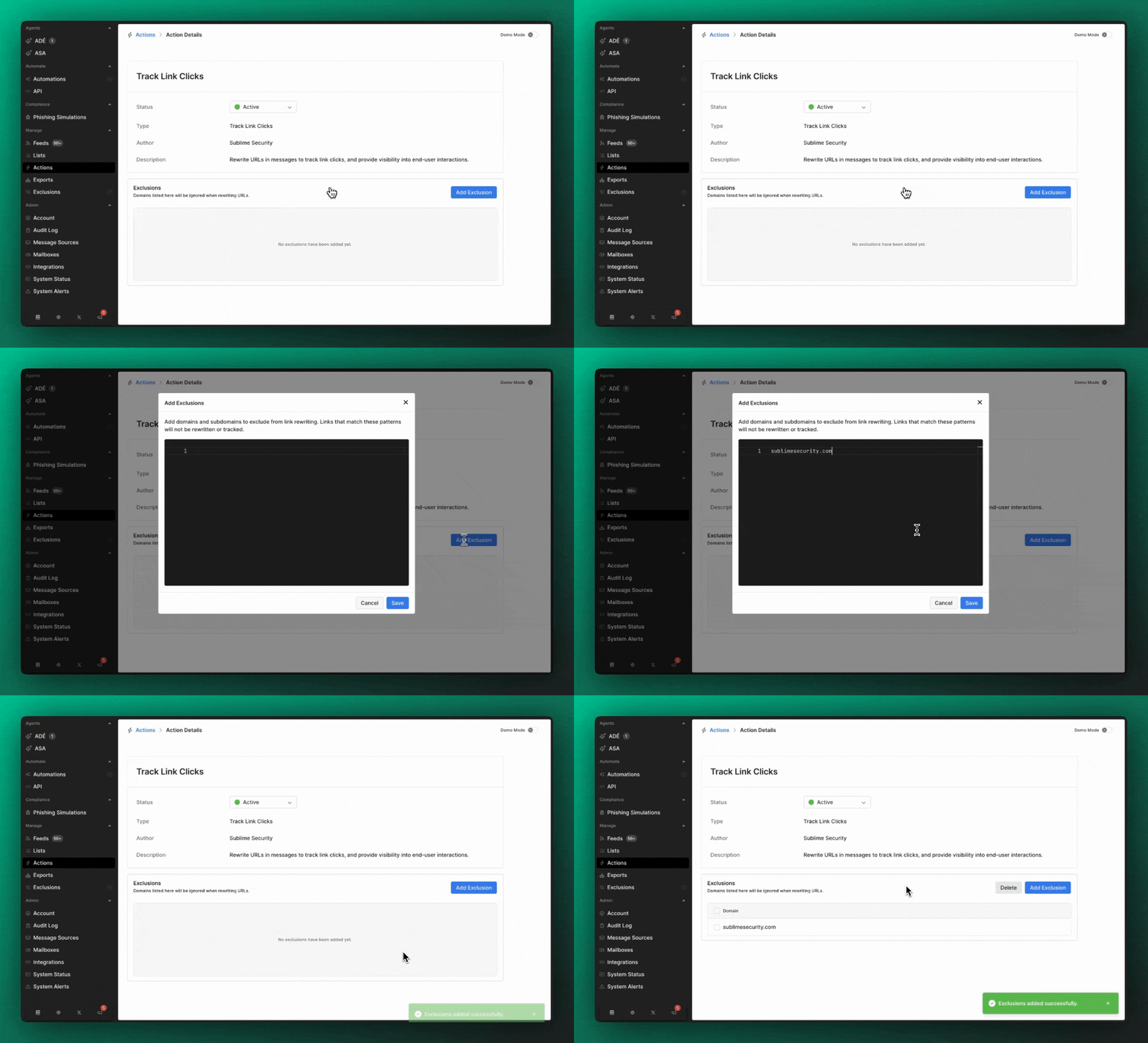
- In the Track Link Clicks action, locate "Excluded Domains"
- Add domains you want to exclude (e.g.,
company.com,partner-site.org) - Click "Save"
URLs from excluded domains will remain unchanged and clicks will not be tracked.
💡 Best Practice: Include your organization's primary domains and trusted partner domains in the exclusion list.
How It Works for Email Recipients
Email Appearance
When Track Link Clicks is applied to a message, recipients see emails that look identical to the original with no visible indication that URLs have been rewritten. Upon hover, they will see that the link has been rewritten, in the following format:
https://redirect.platform.sublime.security/?url...
View Click Data in on Message and Message Group
In the Message Detail View, you'll see:
- Count of clicks
- Mailboxes that clicked
- Time of each click
- Original URL (even if the link was rewritten by another product)
- User agent
- Source IP address
Message Group Overview
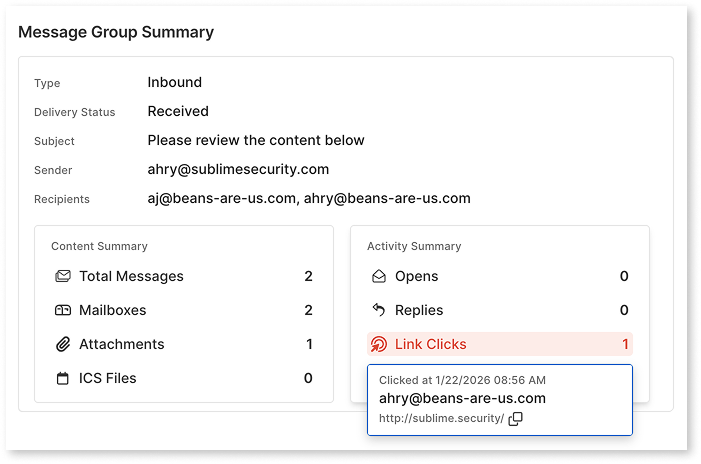
Message-Level Overview
Updated 14 days ago