

Configure "Quarantine Digests"
For self-hosted instances, you'll need to set a custom domain to configure Quarantine Digests. Please see documentation here for AWS.
Sublime can send daily or weekly digests of quarantined messages to improve end-user visibility. End-users can request to release quarantined messages back to their mailbox.
You’ll find two new areas in the platform:
- Manage → Quarantine Digests to configure settings
- Release Requests → Quarantine Digests to review and manage end-user requests to release messages
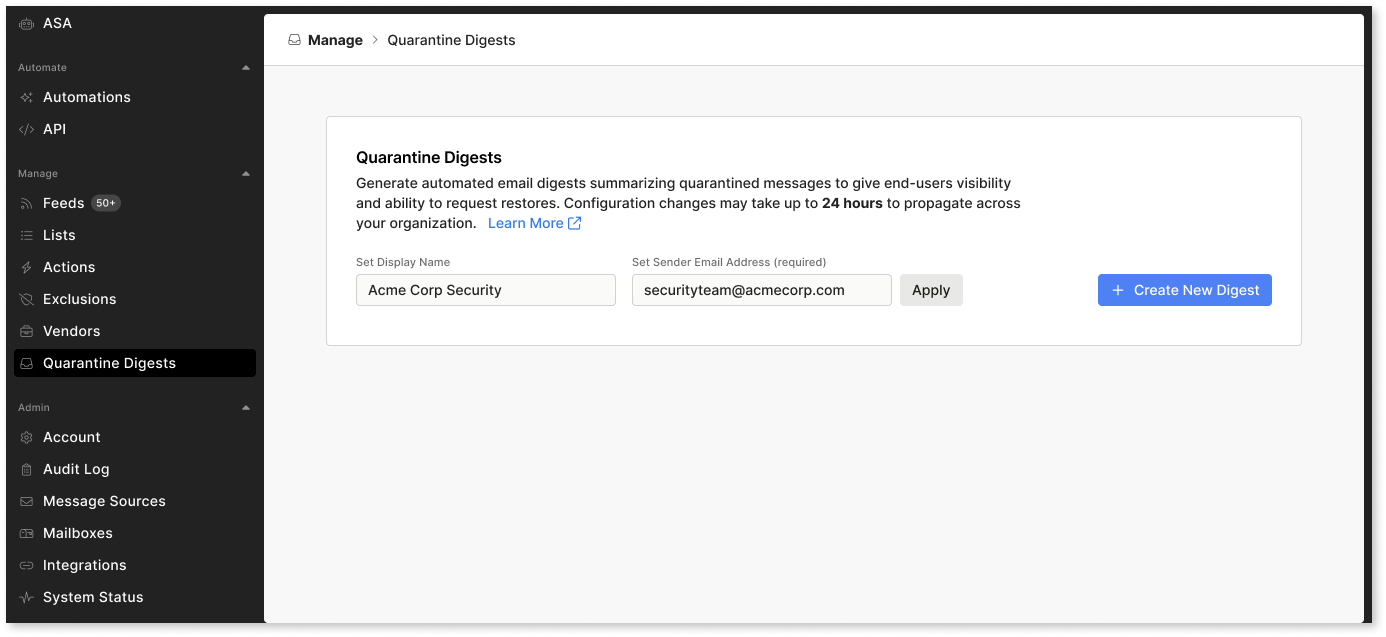
To set up digests, go to Manage → Quarantine Digests and configure the display name and sender email address.
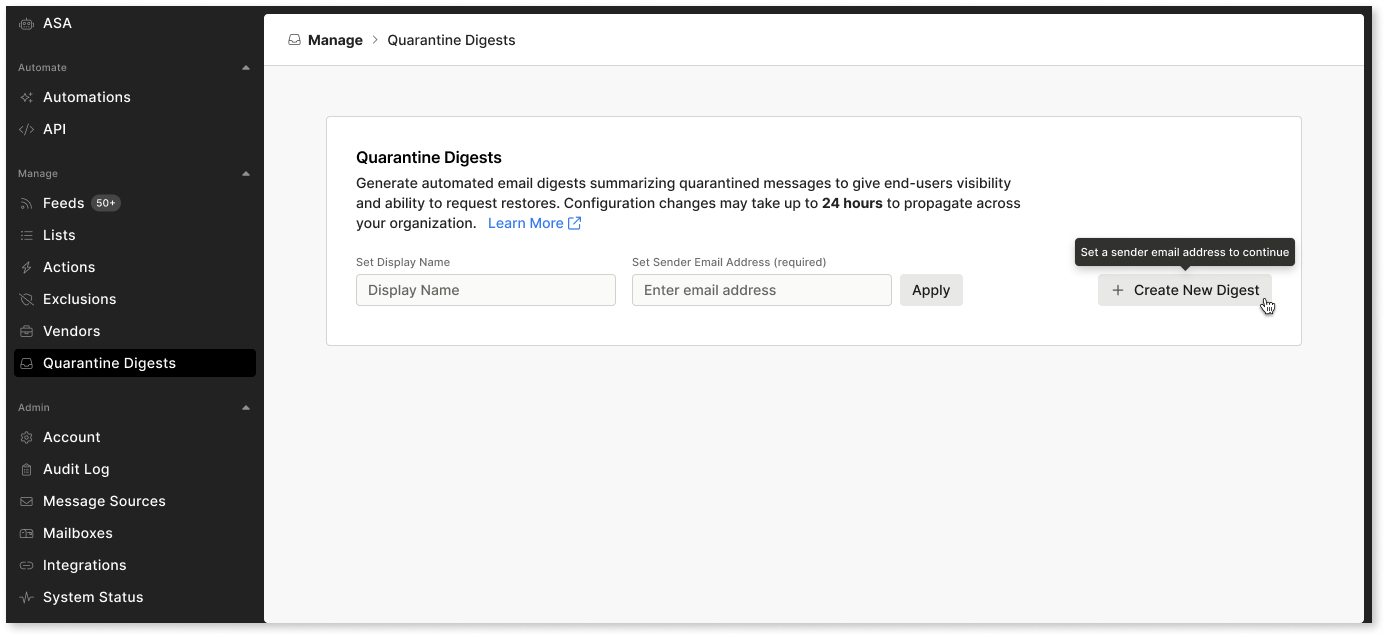
After saving these settings, the Create New Digest button will become available.
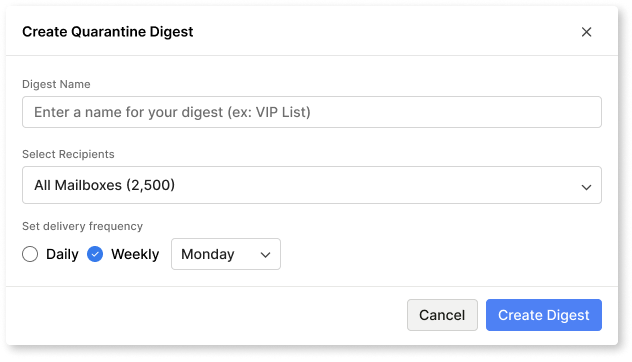
Click Create New Digest to open a modal where you can choose recipients and set the delivery frequency. Digests are delivered automatically at a set time each day or week.
You can also target recipients using one or more Lists. Only lists with type = User Group or Role Based Unit are applicable for quarantine digests.
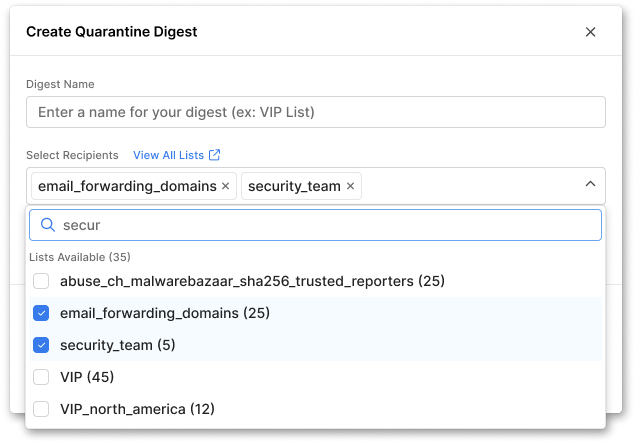
Sublime Lists automatically sync with the following group types:
- Google Workspace Groups and Organizational Units (OUs)
- Microsoft Groups (M365 Groups, Security Groups, and Mail Enabled Security Groups)
To use these groups, create a list that includes the desired groups. For Google Workspace tenants, additional permissions may be required. You can review related product updates here.
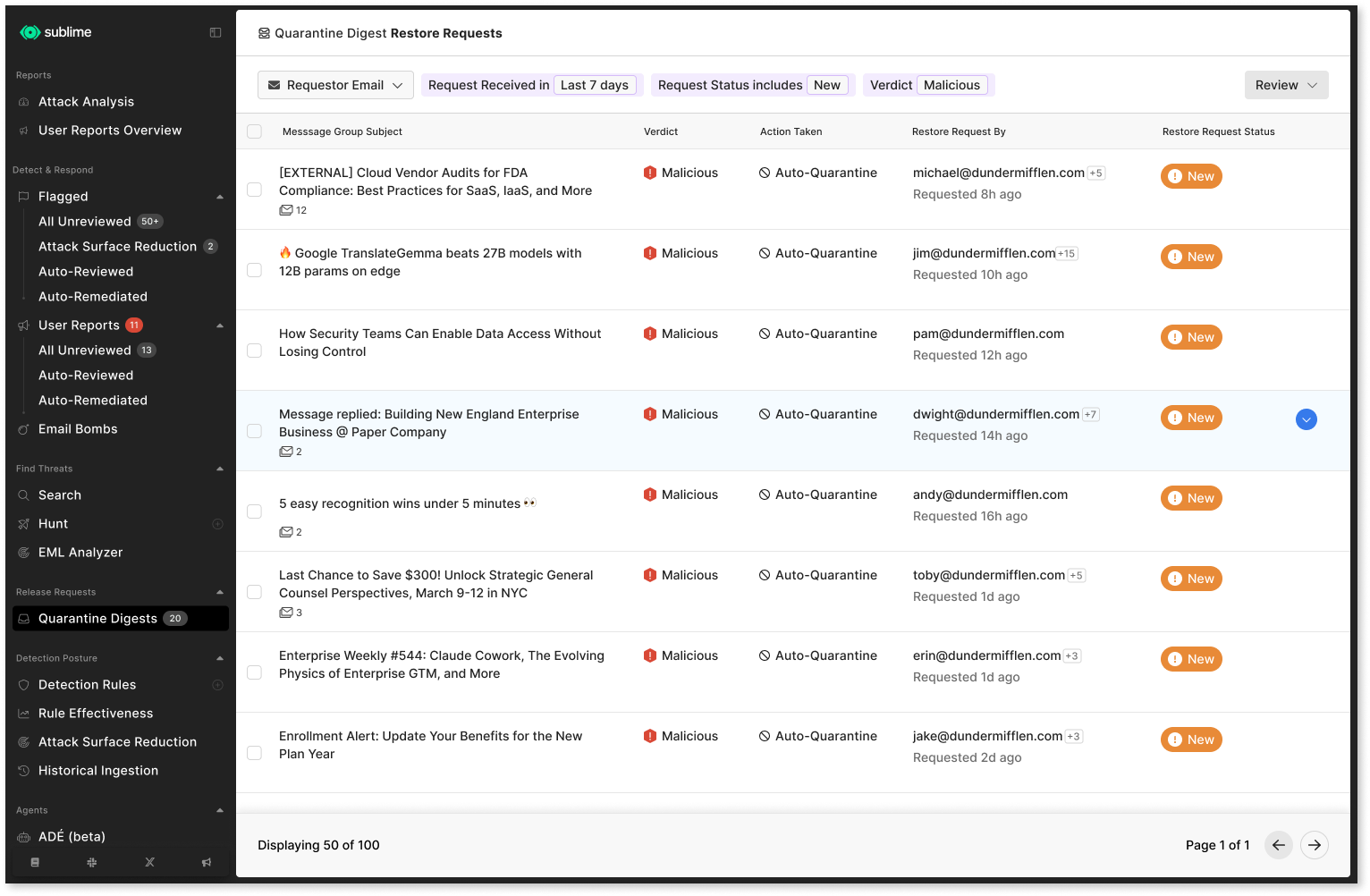
Once digests are sent out and the end-users have requested releases, Release Requests → Quarantine Digests will be populated with the requests to approve or deny the requests.
What happens if an end-user is included in multiple digests?
Sublime automatically determines which digest to send based on:
- Frequency: Daily digests take priority over weekly digests
- Timing: If multiple digests have the same frequency, the digest scheduled earlier in the week is sent
This ensures end-users receive the most relevant and timely digest without duplicate emails.
When will end-users receive digests?
Please note that configuration changes may take up to 24 hours to propagate. Once changes are propagated, end-users will only receive a digest if there are new quarantined messages to review.
For example, if an end-user receives a digest on Tuesday and no additional messages are quarantined afterward, they won’t receive another digest on Wednesday. This helps reduce unnecessary notifications and ensures each digest only includes new messages.
What will the end-user see?
The end-user will receive an email digest when there's at least one quarantined message to review. The following is an example digest that the user may receive.
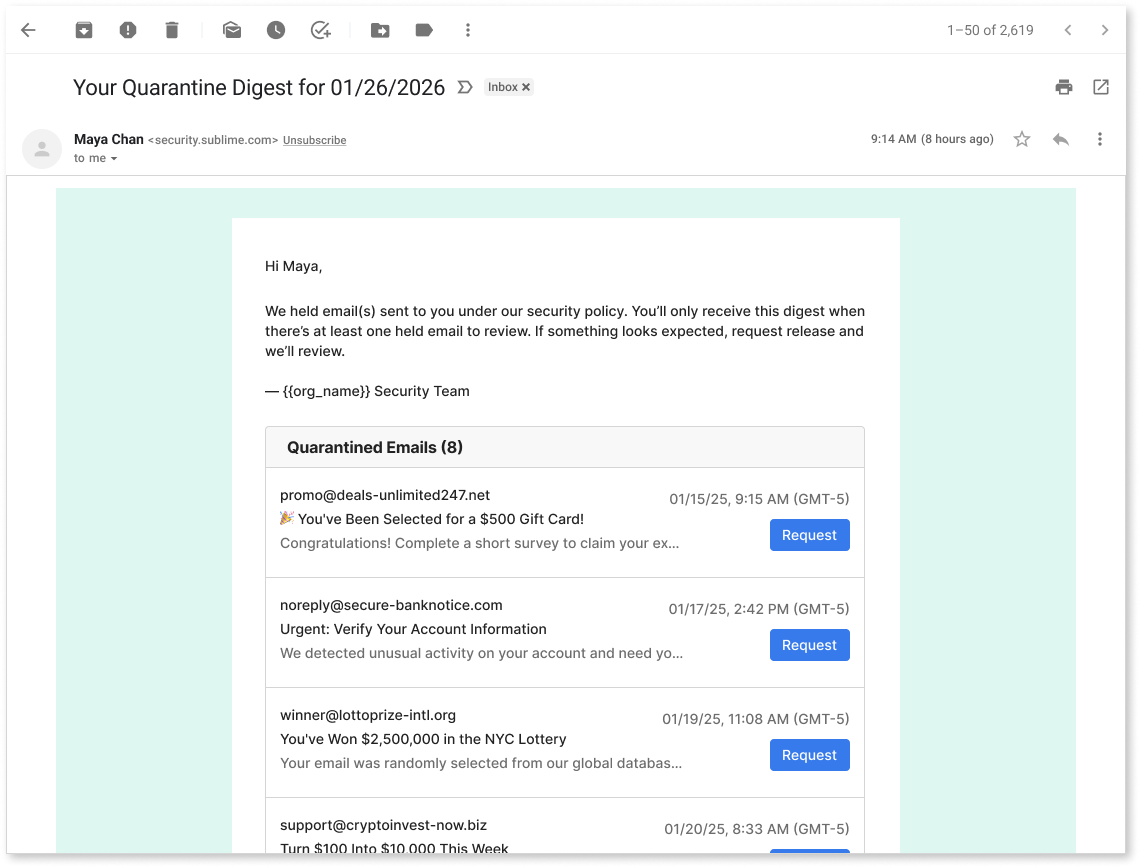
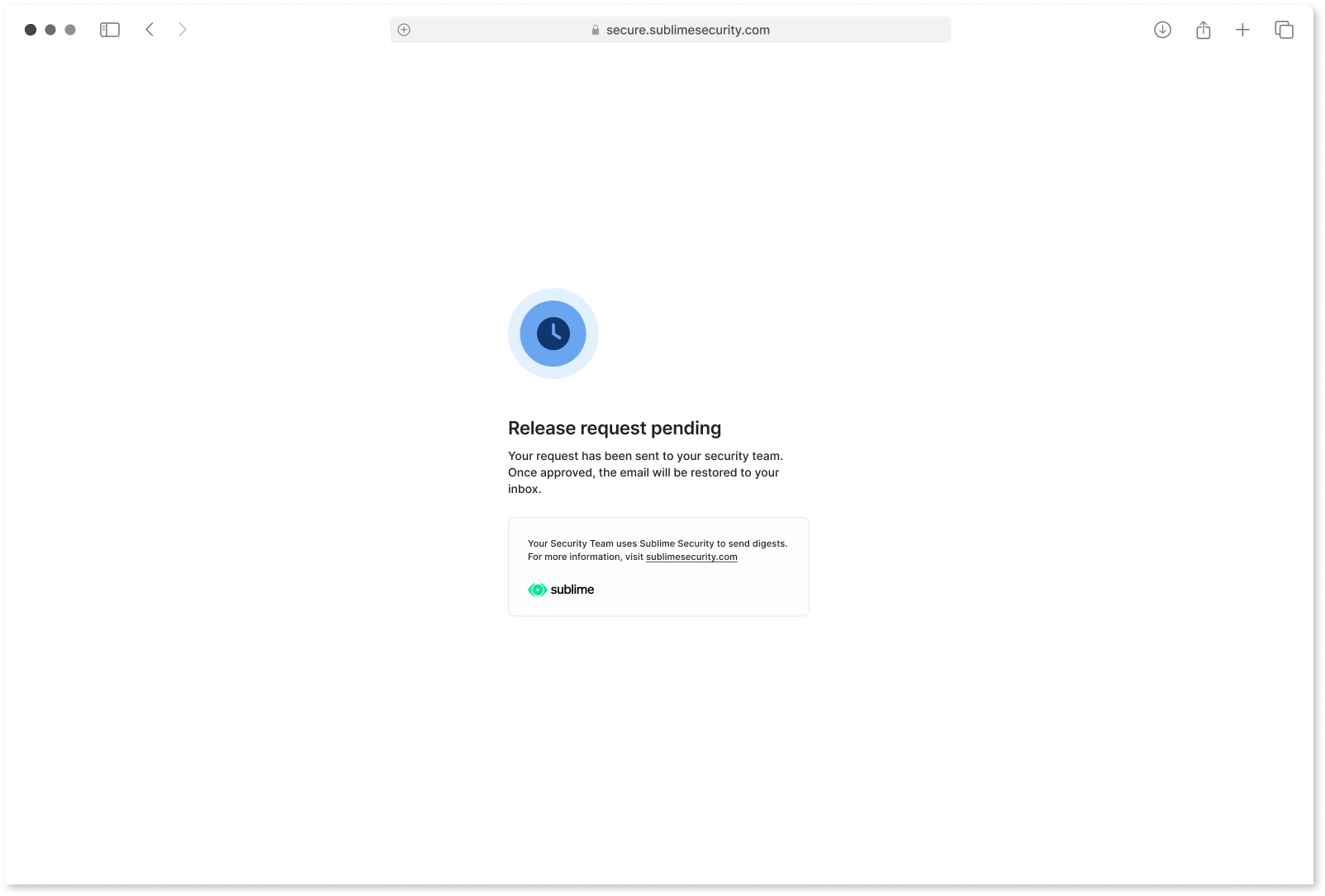
Upon clicking Request, the end-user will see a confirmation page of their request.
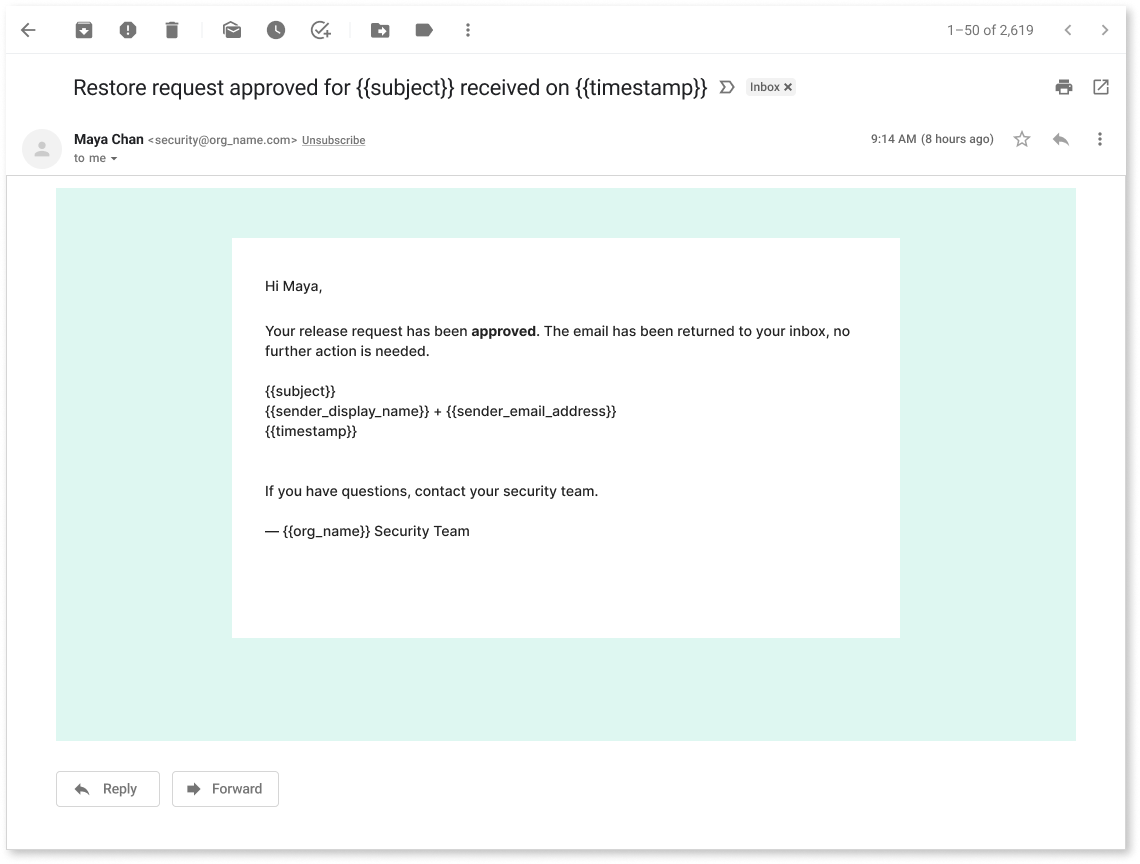
Once the message is approved or denied by the security team, the end-user will receive a message that informs them of the decision. Multiple approvals or denials for the same end-user will be batched together.
Where to find request releases
Head over to Release Requests → Quarantine Digests to see all release requests.
RBAC for Quarantine Digests
Quarantine DigestsThere are 4 new RBAC permissions for even more granular control of which roles have read and manage permissions for both digest configuration and release requests: read_quarantine_digest_configs, manage_quarantine_digest_configs, read_quarantine_digest_release_requests, and manage_quarantine_digest_release_requests.
| Category | Permission | Admin | Engineer | Analyst |
|---|---|---|---|---|
| Quarantine Digests | read_quarantine_digest_configs | ✅ | ✅ | ✅ |
| Quarantine Digests | manage_quarantine_digest_configs | ✅ | ||
| Quarantine Digests | read_quarantine_digest_release_requests | ✅ | ✅ | ✅ |
| Quarantine Digests | manage_quarantine_digest_release_requests | ✅ | ✅ | ✅ |
Please see the documentation on RBAC for more details.
Updated about 23 hours ago