

ASA: Autonomous Security Analyst
Overview
ASA (Autonomous Security Analyst) is an AI agent that clears your abuse mailbox and triages your flagged messages. It investigates each message end to end and reaches a verdict, typically in about a minute. For user-reported messages, it shows the full evidence behind that verdict: the signals, links, files, and sender context it examined.
ASA works on two types of messages: user-reported messages sent to your abuse mailbox, and flagged messages that Attack Score didn't have enough context on. In passive mode, ASA investigates and explains; in active mode, it also remediates and classifies, escalating to a human only when it isn't sure.
ASA investigates with Sublime's analysis tools, including:
- Attachment analysis: detonating attachments and analyzing the results for malicious behavior
- Link Analysis and Computer Vision: following links, inspecting landing pages, and evaluating logos or brand impersonation signals
- Sender behavior profiles: checking sender prevalence and prior classifications
ASA decides which tools to call for each message rather than running a fixed script, and it can spin up focused sub-investigations in parallel (for example, checking a suspected impersonation target's branding inside a linked page). Its reasoning is grounded in a knowledge base maintained by Sublime's detection team. For user-reported messages, its full report cites the signals, links, files, and sender context it examined.
When ASA runs
ASA runs as an Automation, triggered automatically:
-
User reports: when an end user reports a message to your abuse mailbox (trigger: "User Report received")
-
Flagged messages: when Attack Score returns suspicious, unknown, or error (trigger: "Detection Rule flagged")
When ASA identifies a confirmed miss, it can hand the message to ADÉ (Autonomous Detection Engineer) to generate new coverage, so a single report can both clean up the current attack and close the gap that let it through.
Getting started with ASA
Enable ASA by activating its two Automations from the dashboard: Send user reports to ASA and Send suspicious messages to ASA (which covers suspicious, unknown, and error verdicts). Activating an Automation routes messages to ASA, but ASA takes no action on your mail until you set its mode to active. New setups should start in passive (see Modes, below).
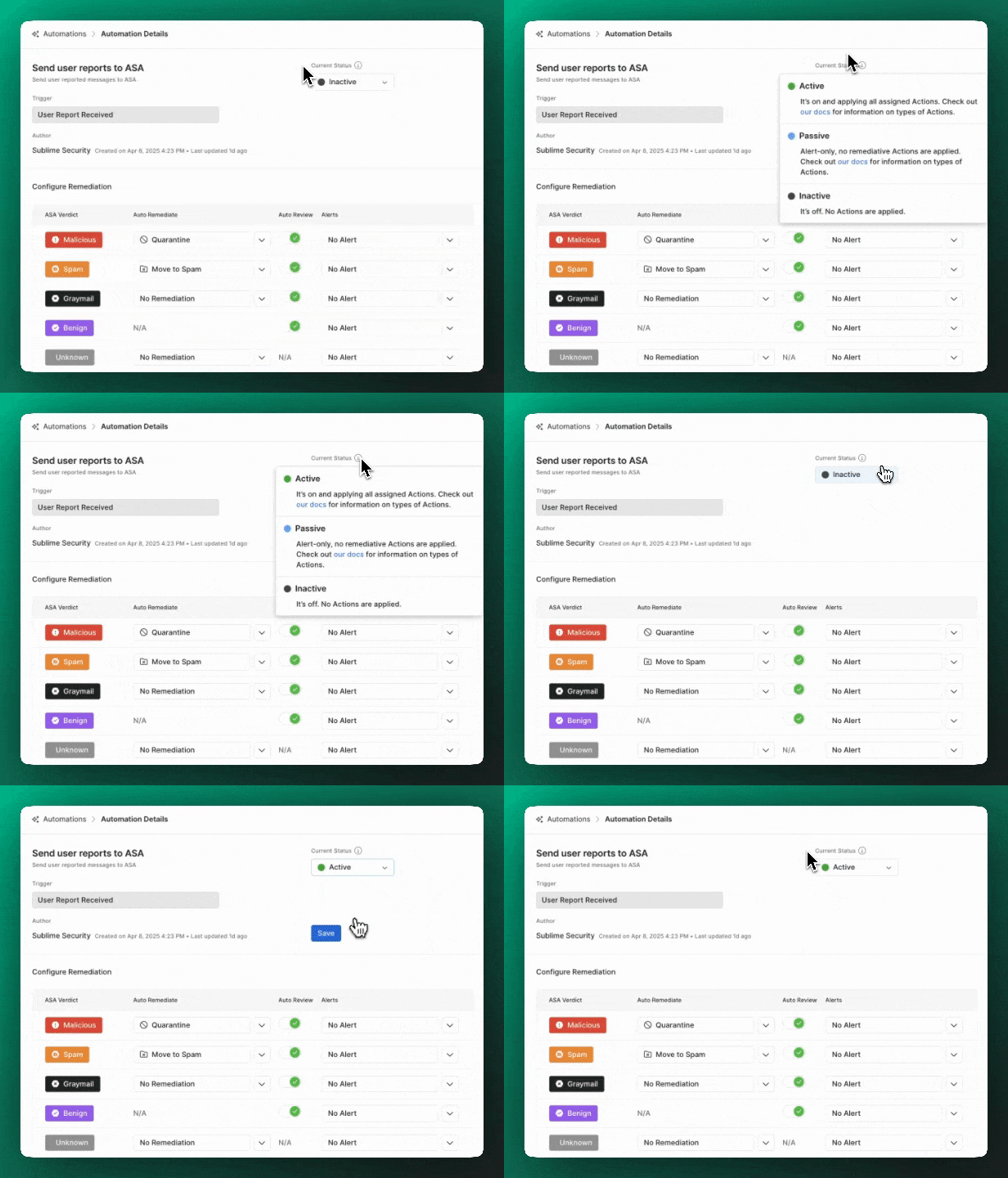
To use both Automations you need to be a Sublime Enterprise customer with an abuse mailbox set:
- Haven't set up your abuse mailbox yet? See Configure "Report Phishing".
- Want to see ASA before enabling it? Run any sample message through the free EML Analyzer.
- Don't see ASA in your dashboard? Contact your Customer Success Engineer.
Self-hosted AWS deployments need a one-time setup before ASA can run; your Customer Success Engineer can walk you through it.
Modes
ASA has three states:
inactiveis the default. ASA is off and takes no action.passive("Analyst Mode") investigates each message and writes its report, but never changes your mail. It can still send custom alerts (webhook, Slack, email), but it never applies a message action like quarantine, trash, move to spam, warning banner, or auto-review, even for verdicts you've configured. This is the safe place to evaluate ASA against your live mailbox: its report is waiting whenever an analyst opens the message.active("Autonomous Mode") investigates, triages, and remediates end to end, applying the per-verdict auto-remediation and auto-review settings you configured. You decide how much it does on its own. Verdicts you haven't configured an action for are left alone.
Recommended rollout
Start in passive and let ASA investigate your messages for a week or two without applying any remediations. Compare its verdicts and reports to what your analysts would have done. When you're confident, set the auto-remediation and auto-review actions you want for each verdict in the ASA Automation's settings, then switch to active. You can dial autonomy up or down per verdict at any time. Switching to active applies to messages ASA investigates from that point on; it doesn't retroactively remediate messages it triaged while in passive.
Verdicts, remediation, and alerts
ASA classifies each message into one of five verdicts. Four of them (malicious, spam, graymail, and benign) map 1:1 to a Sublime message classification, so triage and review stay consistent. unknown is the exception: it doesn't map to a classification and always routes to a human.
| Verdict | Auto-remediation options | Auto-review |
|---|---|---|
malicious | Quarantine, trash, move to spam, or warning banner | Yes |
spam | Quarantine, trash, move to spam, or warning banner | Yes |
graymail | Quarantine, trash, move to spam, move to Promotions, or warning banner | Yes |
benign | None | Yes |
unknown | None | No (always human review) |
Auto-remediation applies your chosen action automatically when ASA is active. Auto-review classifies the message with the matching verdict so it's cleared from analyst review. Custom alerts (webhooks, Slack alerts, and email alerts) can fire on any verdict, so ASA plugs into your SIEM and SOAR workflows.
The ASA report
ASA presents its findings in three layers, from a one-line takeaway to its full reasoning.
One-liner
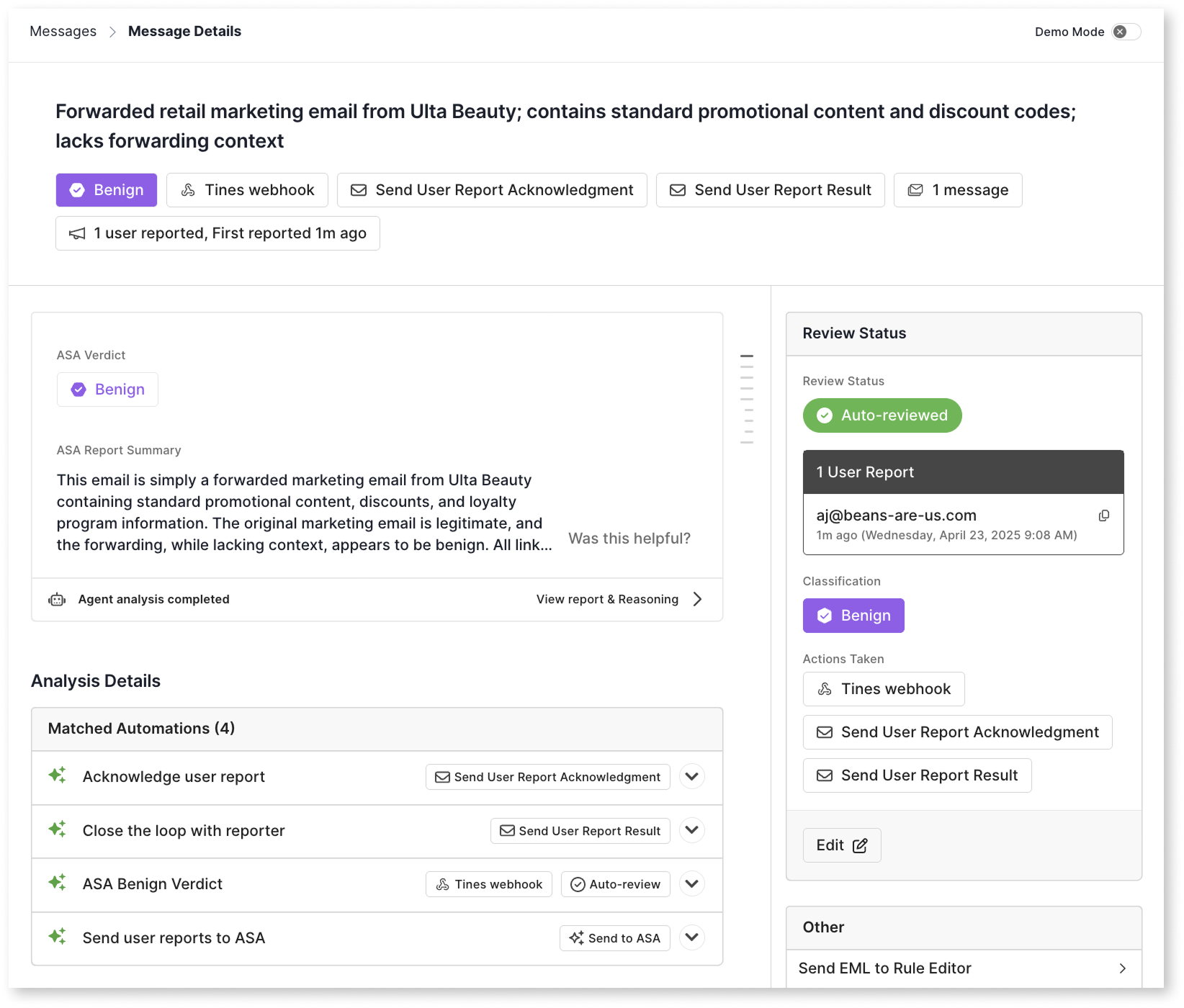
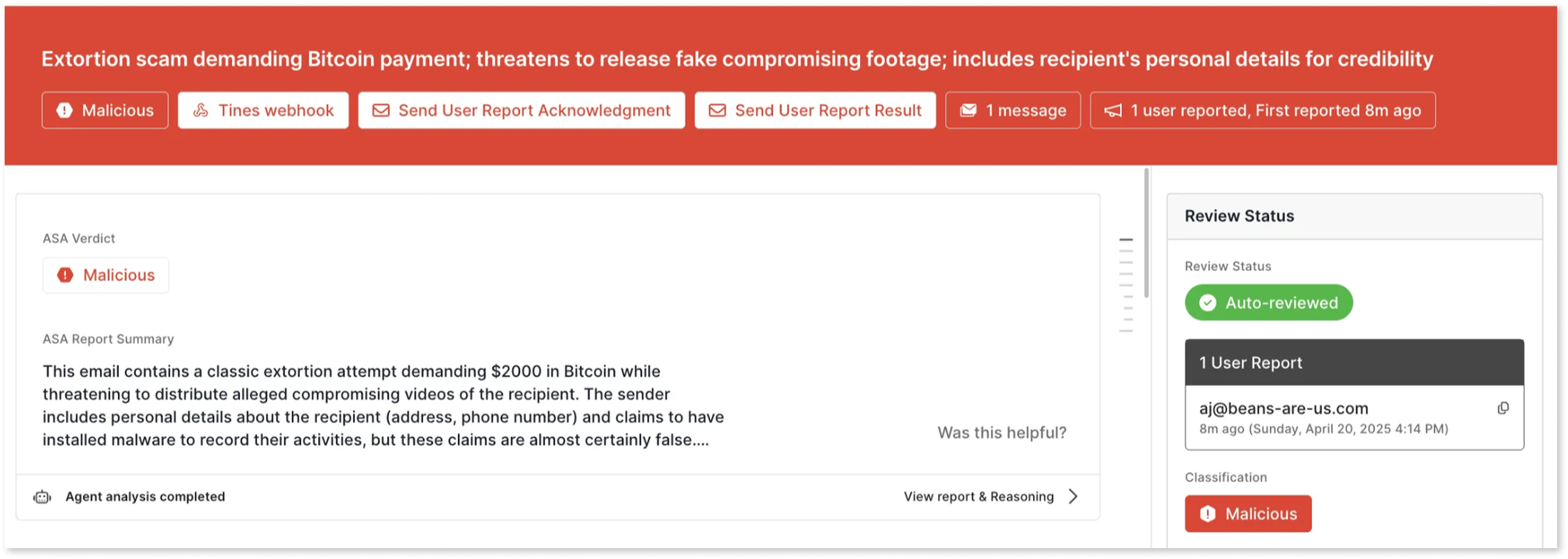
A concise summary of the message's key attributes, shown on the message details.

On the message details page, the one-liner also shows:
- The ASA verdict (for unreviewed messages) or the message classification (for reviewed messages)
- Actions that have been applied
- Message count
- User report count
- First user report timing
Executive summary
A short, detailed summary of the message's intent, content, links, and attachments, with the critical information an analyst needs to decide how to respond.
Full report and reasoning
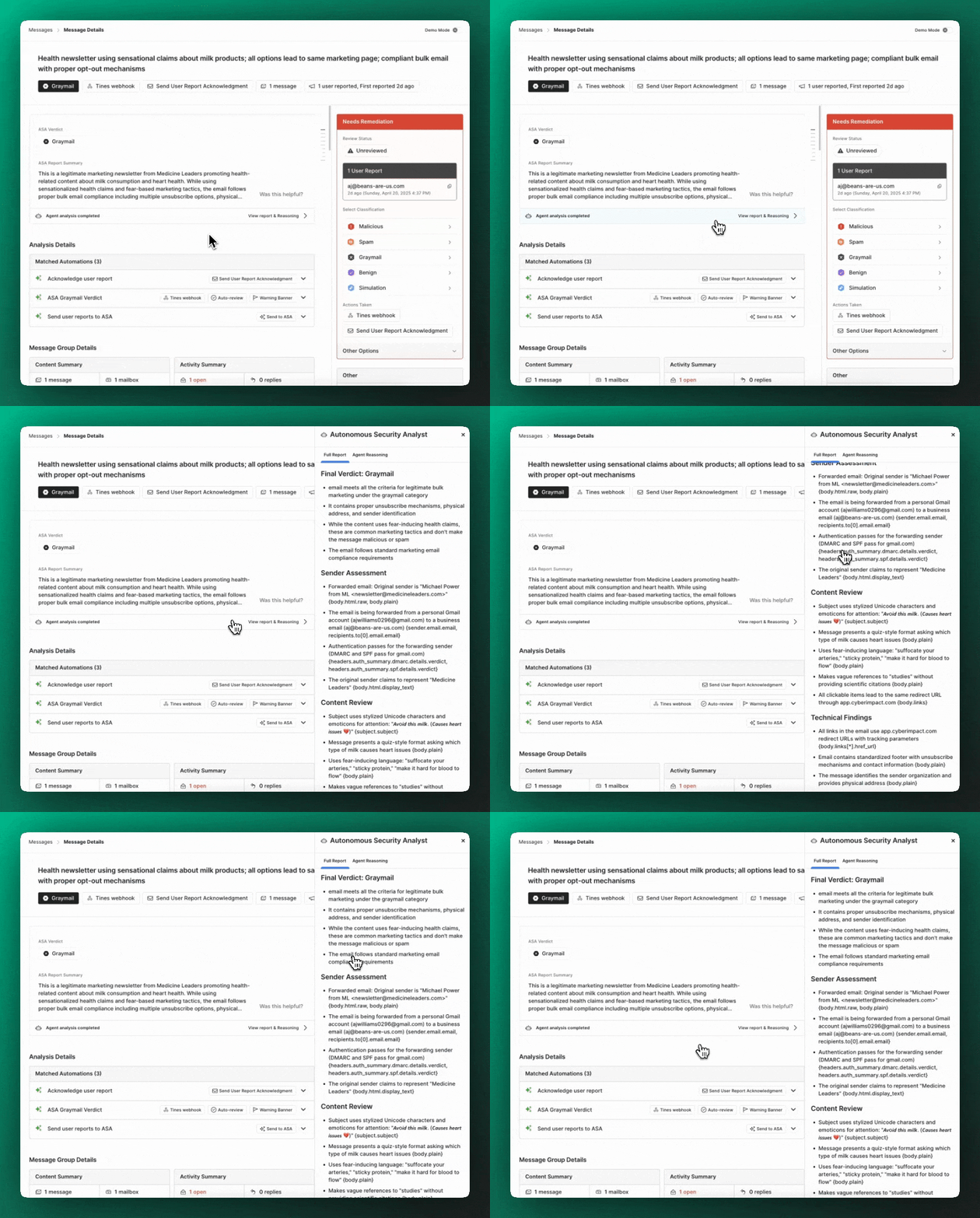
The complete investigation and agent reasoning, available for user-reported messages when you want to dig in:
- Full attack-chain analysis (for malicious verdicts)
- Sender and content analysis
- Findings from detonated files and links
- Contextual findings from sender profiles
- Which signals and Detection Rules fired (or didn't), and why
- The overall verdict explanation
Flagged messages get the one-liner and executive summary, not the full report.
ASA's verdict is available over the API (returned as a field on the ASA report and in the Events API), and the full report is available via the API for user-reported messages. See Retrieve ASA report.
Availability
ASA runs in Sublime Cloud (SaaS) and in self-hosted AWS deployments, including AWS GovCloud, and is available to all Cloud and AWS self-hosted Enterprise customers. In self-hosted AWS deployments, ASA runs inside your own environment. In all deployments, ASA sends only extracted message data and context to the model (the parsed Message Data Model, or MDM), never the raw email, and that data isn't used to train any model or retained by the model provider.
Updated 2 days ago