

Move to Promotions
Overview
Move to Promotions is an Action that marks messages within the inbox as a promotion and either labels or moves the message, depending on your email provider. It's designed to keep graymail messages (marketing, newsletters, promotional, and political content) out of the primary inbox view.
-
In Google Workspace environments, the Move to Promotions Action labels messages as a promotion, which does not remove it from the inbox. Instead, these messages show up in Gmail's Inbox Promotions tab, which is enabled by default for Google Workspace mailboxes.
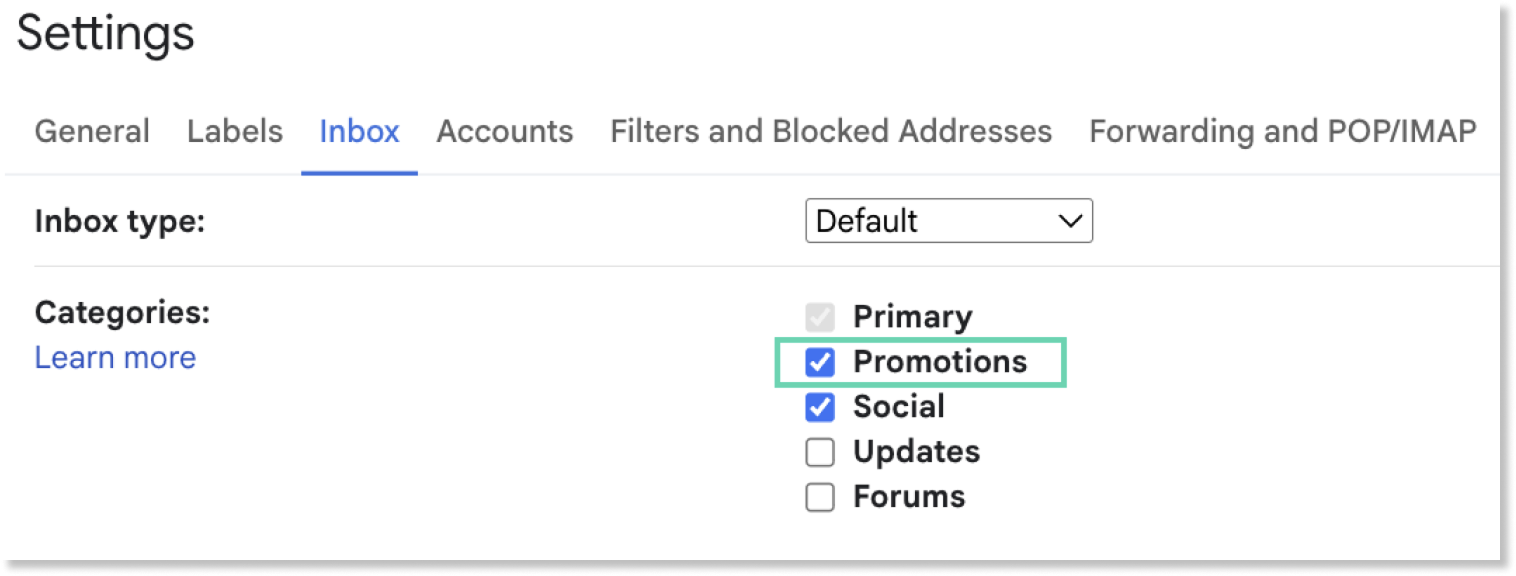
- Inbox Categories are enabled by default for Google Workspace mailboxes. The setting is available in Inbox > Categories. We recommend keeping the Inbox Promotions Category (highlighted below) enabled in order to keep graymail out of sight for mailboxes!
-
In Microsoft365 environments, the Move to Promotions Action moves messages into a new folder called "Promotions". This keeps graymail separate from the inbox.
- The Promotions folder does not automatically add a Promotions folder. Instead, the Promotions folder is created as-needed when a Rule or Automation attempts to move the message. If the folder exists from a previous attempt, that one will be used. If the folder does not or no longer exists, a new one will be created.
Add Move to Promotions to Rules to reduce noise from graymail
Move to Promotions to Rules to reduce noise from graymail- Click "Detection Rules" or “Automations” in the left nav of your Dashboard
- Click on the Rule you wish to add the action to, opening the detail view for this Rule
- Click "Edit" or "Edit Metadata" in the top right of this detail view
- Click the "Actions" dropdown and select your Move to Promotions Action
- Click "Save Rule"
Updated 2 months ago