

Understand CrowdStrike Sandbox results in Sublime
When CrowdStrike Falcon Sandbox completes a submission, the result appears inline in the message detail view (MDV) under Sandbox Analysis. This article explains what each field means and how Sublime uses the result.
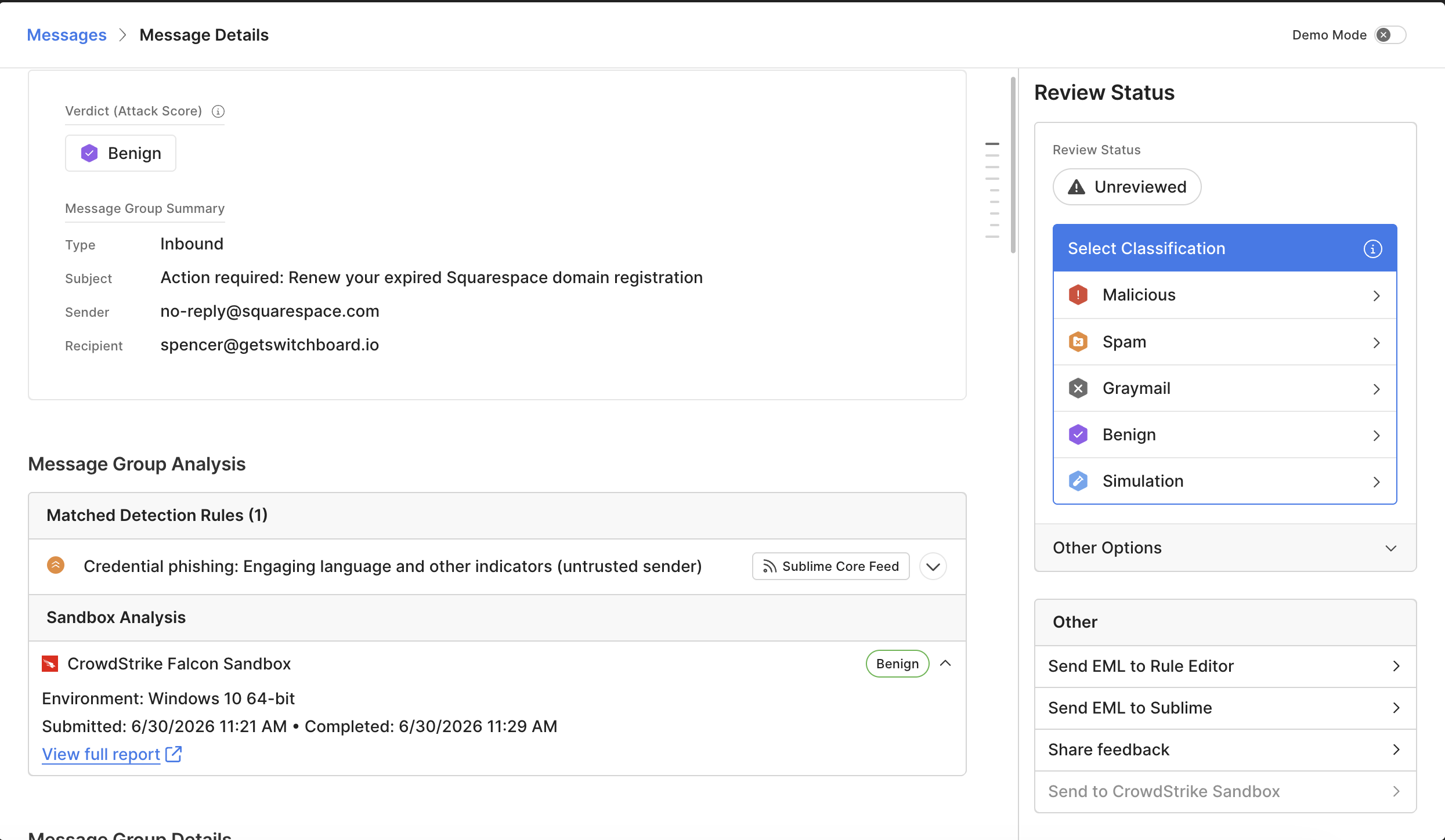
What the Sandbox Analysis section shows
| Field | What it means |
|---|---|
| Source | The sandbox that produced the verdict — CrowdStrike Falcon Sandbox. |
| Verdict | Falcon's classification of the sample: Malicious, Suspicious, or Benign. |
| Confidence score | Falcon's confidence in the verdict, out of 100. Higher = more confident. |
| Environment | The OS Falcon used for detonation (e.g., Windows 10 64-bit). |
| Submitted / Completed | Timestamps for when Sublime sent the sample and when Falcon returned the verdict. For deduplicated samples, these reflect the original analysis. |
| View full report ↗ | Opens the complete detonation report in CrowdStrike Falcon. |
How Sublime uses the verdict
Important: In the current release, Sublime does not change a message's verdict or remediation state based on the sandbox result. The sandbox verdict is informational — it appears in the MDV and the full Falcon report, but does not feed back into Sublime detection rules or auto-quarantine actions. Wiring sandbox verdicts into Sublime's rule engine is planned for a follow-on release.
If you want to act on a sandbox verdict today, you can:
- Manually remediate the message in Sublime after reviewing the verdict
- Use the Falcon full report for investigation context
Reading the CrowdStrike report
The View full report ↗ link opens the same report you would see directly in the CrowdStrike Falcon console. It includes behavioral indicators, network activity, dropped files, and any indicators of compromise (IOCs) Falcon extracted during detonation. Use the report to confirm the verdict, pivot on IOCs, and document findings in your case management tool of choice.
Updated 3 months ago