---
updatedAt: 2026-10-29T21:17:18.000Z
agentTools:
projectIndex: https://docs.sublime.security/llms.txt
---
# CrowdStrike Falcon Sandbox
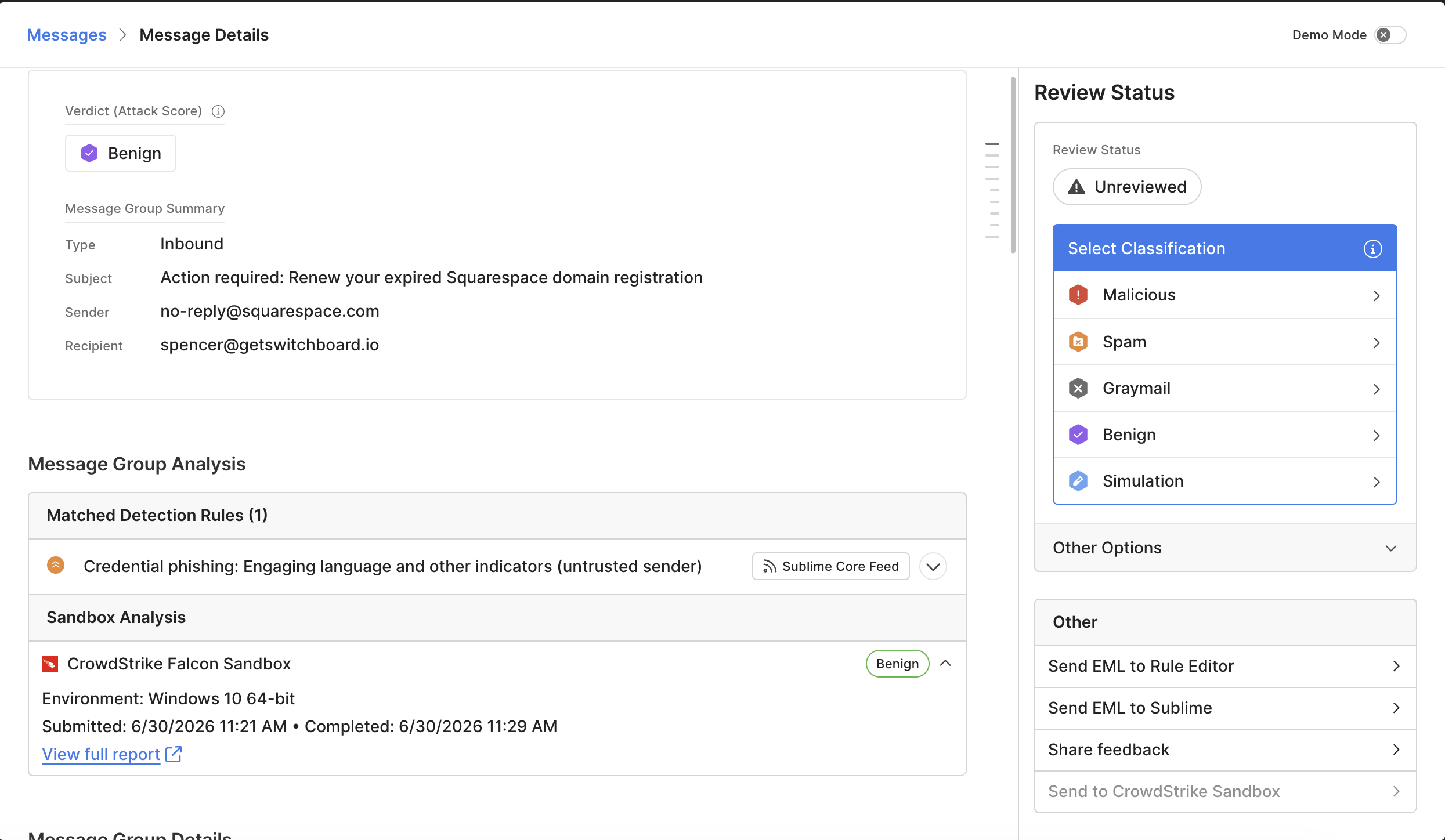
Connect Sublime to CrowdStrike Falcon Sandbox to allow analysts to detonate suspicious emails and attachments in Falcon on demand from any flagged message. Verdicts, scores, and a link to the full Falcon report appear inline in the message detail view.
This is a **bring-your-own-key (BYOK)** integration. Submissions count against your CrowdStrike Falcon Sandbox quota, not a Sublime-provisioned one.
**In this section**
* [**Set up the integration**](https://docs.sublime.security/docs/set-up-the-crowdstrike-falcon-sandbox-integration): Create an API client in CrowdStrike Falcon, then connect it to Sublime under Account with your Client ID, Client Secret, Cloud Region, and Tenant URL.
* [**Submit EML files**](https://docs.sublime.security/docs/submit-eml-files-to-crowdstrike-falcon-sandbox): Send a sample to the sandbox from any flagged message's action panel and track its progress through the Sandbox Analysis row in the MDV.
* [**Understand sandbox results**](https://docs.sublime.security/docs/understand-crowdstrike-sandbox-results-in-sublime): Interpret the verdict, confidence score, detonation environment, and timestamps Falcon returns, and learn how (and currently how not) this feeds into Sublime's detection logic.
* [**Troubleshoot the integration**](https://docs.sublime.security/docs/troubleshoot-the-crowdstrike-sandbox-integration): Resolve common issues: the submit action missing from the MDV, submissions failing immediately, error states on a submission, or analyses that never complete.